
Welcome to the network! Here's how new staff members of nonprofit partners can access their account for the very first time.
We've sent you an invitation email to your email address. It will come from [email], and will include a button to get started with your account.
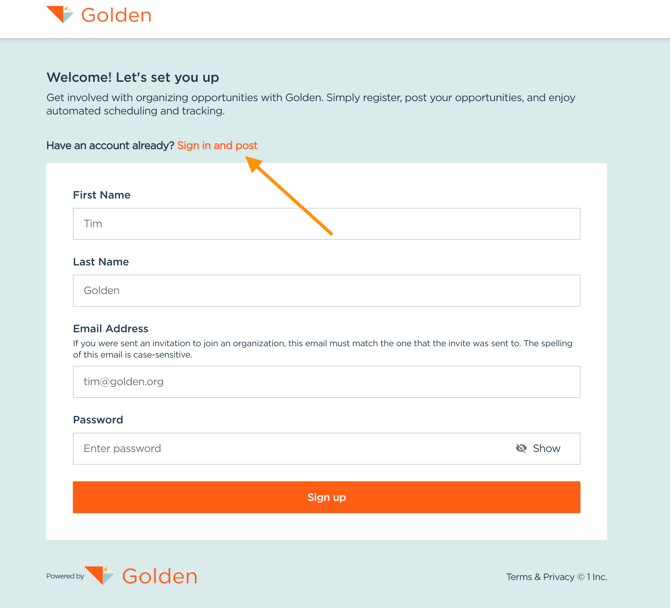
Once you click the button from the invitation email, you'll be taken to the login page. Look for the "Have an account already?" text at the bottom of the form—below it you'll see a link that says "Sign in and post." Click that link to be taken to the login page.
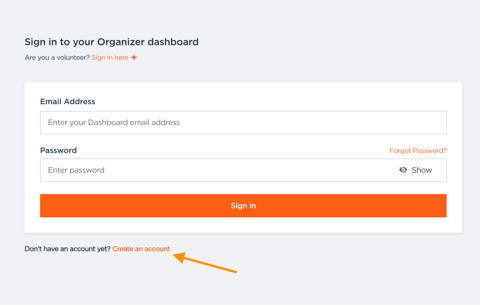
On the login page, you'll see a "create account" option that will allow you to set up your user account, which will be connected to your organization's account.
For this first time, it's important to use the link from the invitation email—this ensures the system correctly connects your individual user account to your organizational account.
Once your user account is set up using this special link, you'll be able to log into your Dashboard—we recommend bookmarking the page!