
The Golden Dashboard makes participant management easier than it's ever been with our Edit Profile feature! Admins, and other users whose role lets them manage participants (such as Writer or Participant Manager), can edit fields within the Participant Profile and merge participant profiles (with a few exceptions).
Editing/Merging Participant Profiles:
First, open the Participant Profile by clicking the participant name and select the Edit Profile option located at the top right of the page.
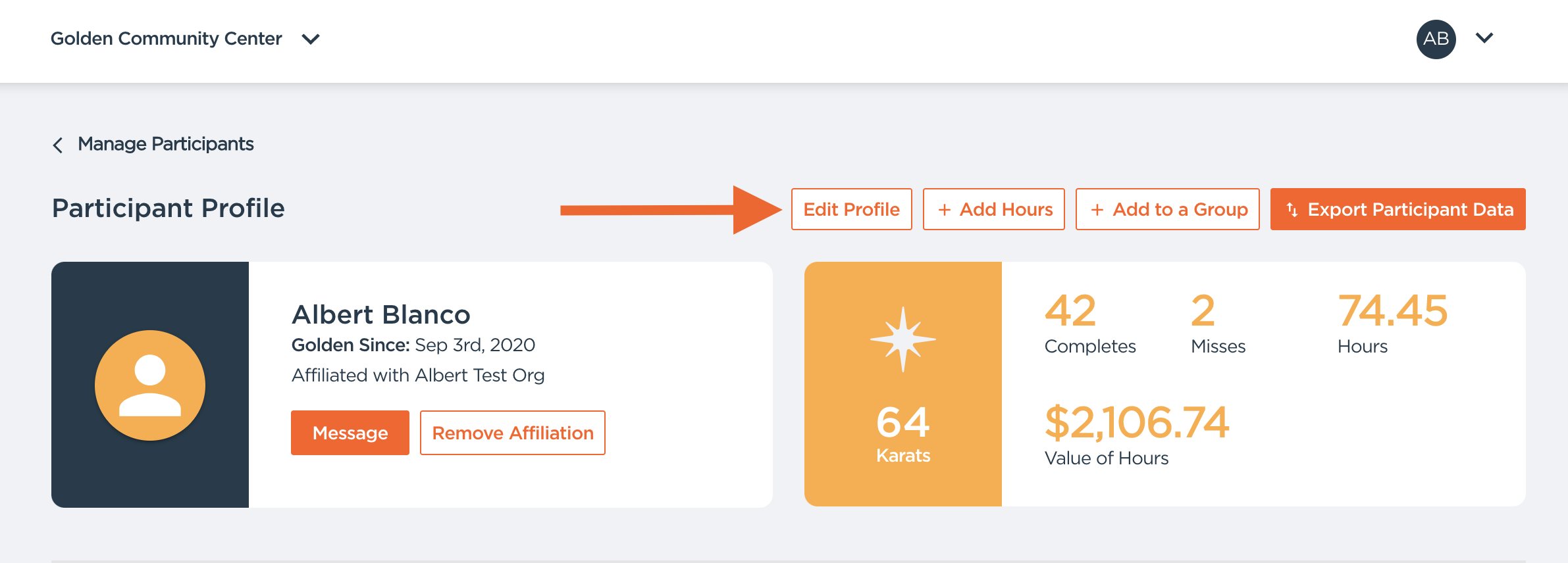
Opening this menu will present you with two options:
- Make profile edits, or...
- Merge that profile with another profile (see the "Merge Accounts" button below).
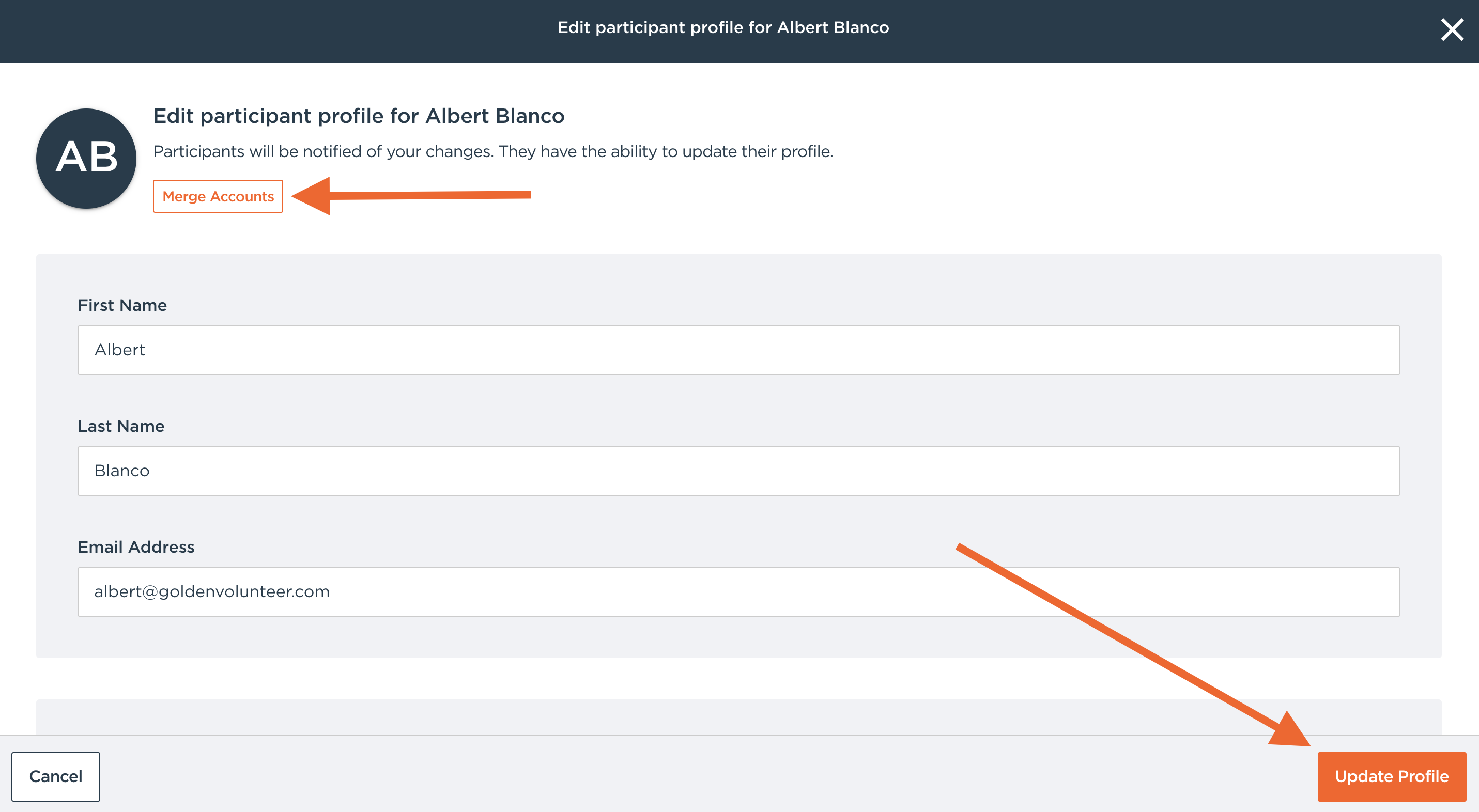
Participant Profile Edits
When you open the Edit Profile menu, you'll see a form containing all the data-points that can be updated. All you need to do is...
- Enter or modify the relevant datapoints, and...
- Click the Update Profile button at the bottom of the page. Remember to click on "Update Profile"!!!!!
Here are the data-points that you can edit from the Dashboard:
- First & last name
- Email address
- Emergency contact information
- "Over 18" (or not) age indicator
- Date of Birth
- Phone number
- Dietary restrictions
- Allergies
- T-shirt size
- Spoken languages
Profile Merging
Note: make sure to be extremely cautious! Once a profile is merged, there is NO WAY TO REVERSE THIS!
Profile merging allows you to combine two accounts. You will need to choose which account is the destination and which account will be removed. When you merge profiles...
- The primary account information will be retained
- The non-primary profiles will be deleted
- Registrations on the non-primary profile will transfer to the primary
- Data that exists on the non-primary which doesn't exist in the primary will be transferred
- Hours and completions are combined
- Credentials and background check records move to the primary account (if both profiles have the same credential, the most complete one is kept)
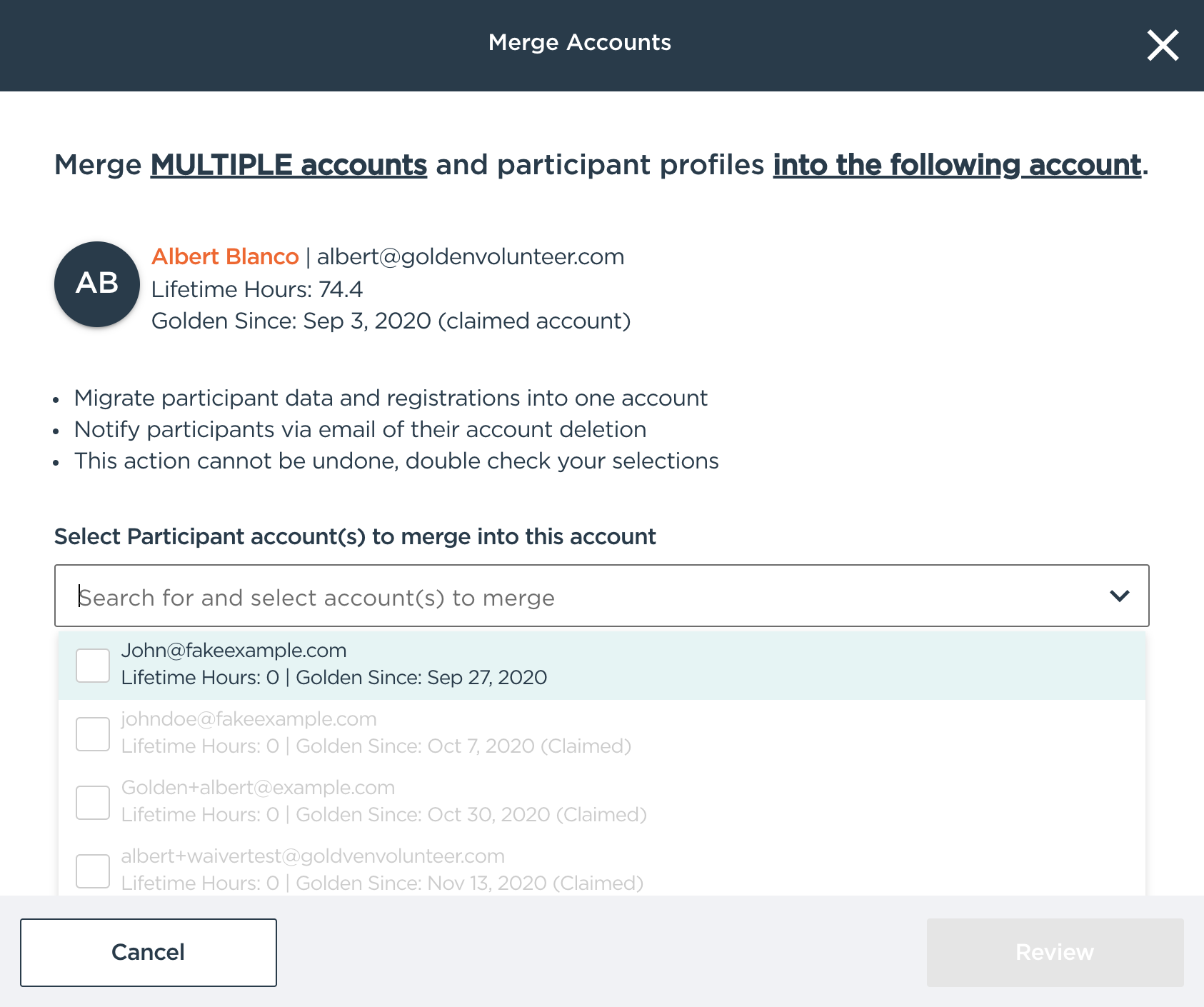
To merge two or more participant accounts, get started by...
1. Entering a Participant Profile and clicking on the Edit Profile button (same steps as above). Then...
2. Click on the "Merge Accounts" button.
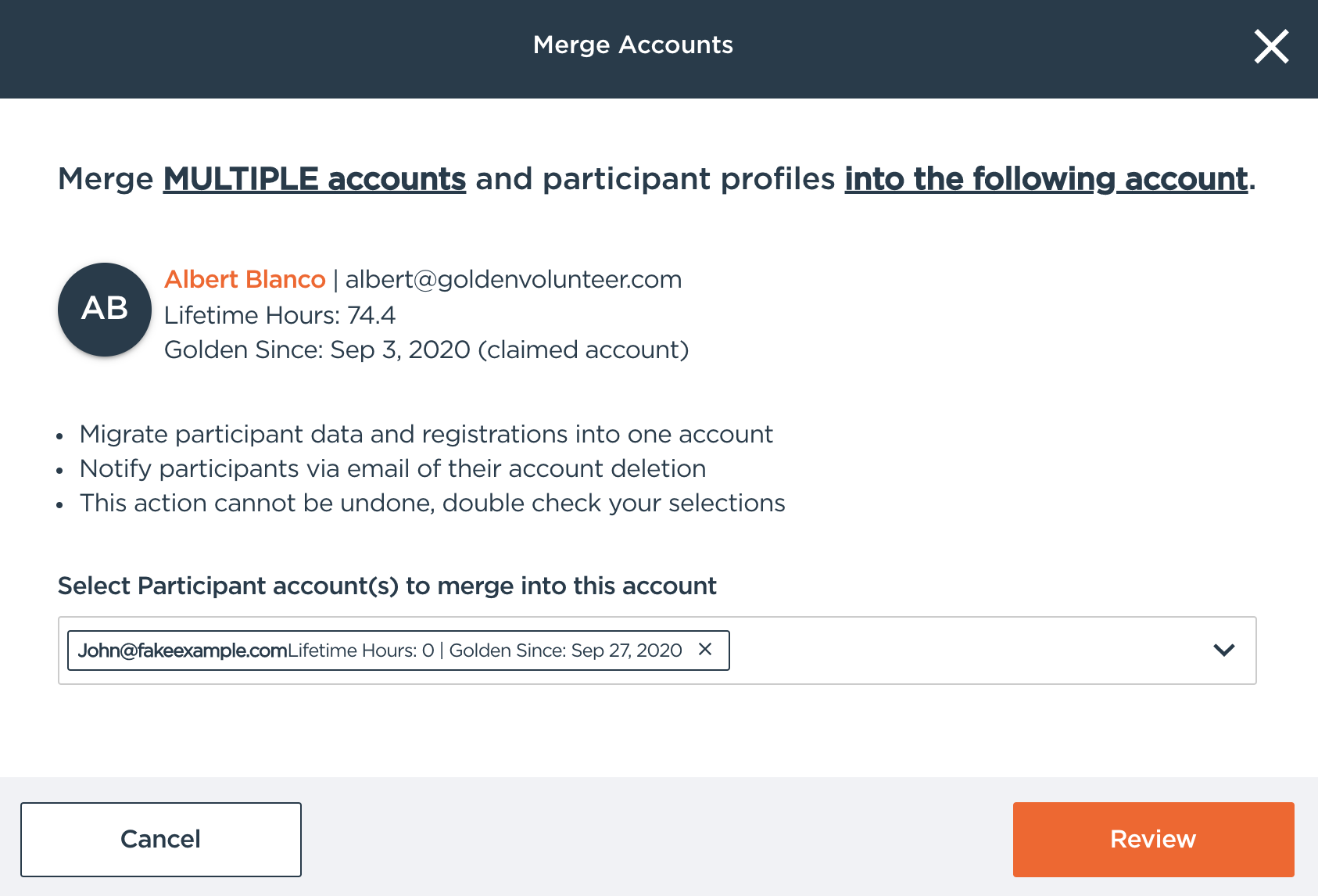
3. Select which duplicates you are hoping to merge
4. After selecting your "Merge" option, use the drop-down menu to search for any additional profile(s) that you want to merge.
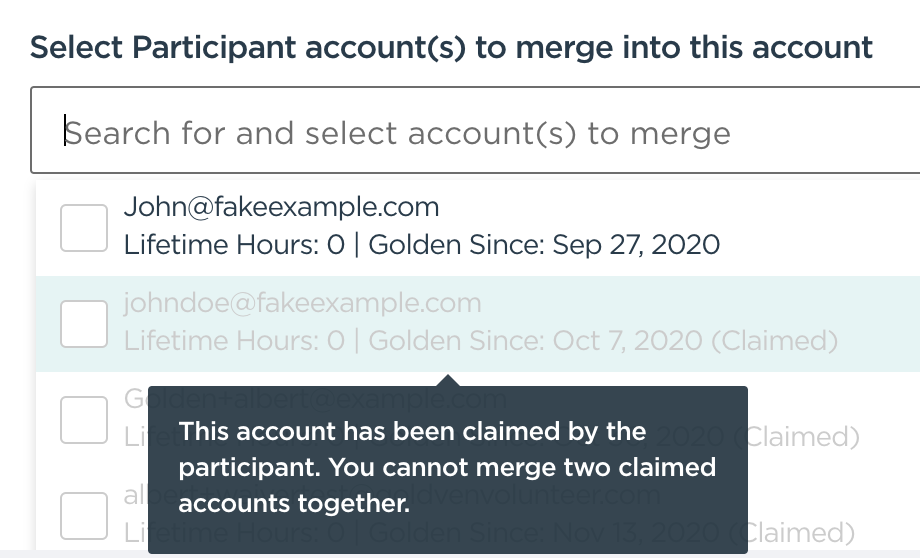
Keep in mind that claimed profiles cannot be merged; the drop-down will notify that the profile is claimed. If you have a claimed profile that still needs merging, please contact us at support@goldenvolunteer.com.
5. Once you have selected the profiles that you want merged, click the "Review" button to double check that everything looks right.
6. If you are certain that you would like to merge, click the "Merge accounts" button on the review page and you will have successfully merged the profiles. 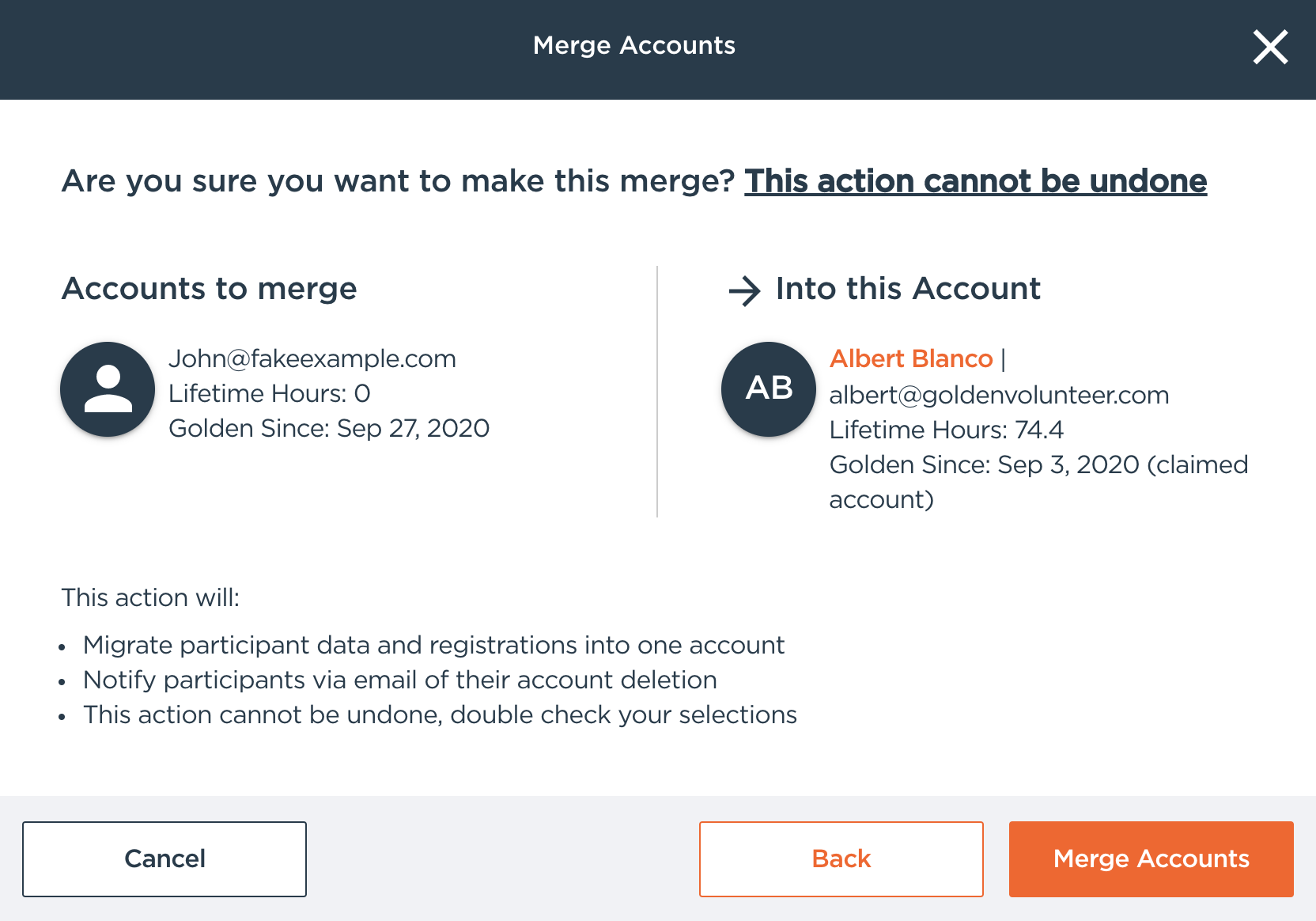
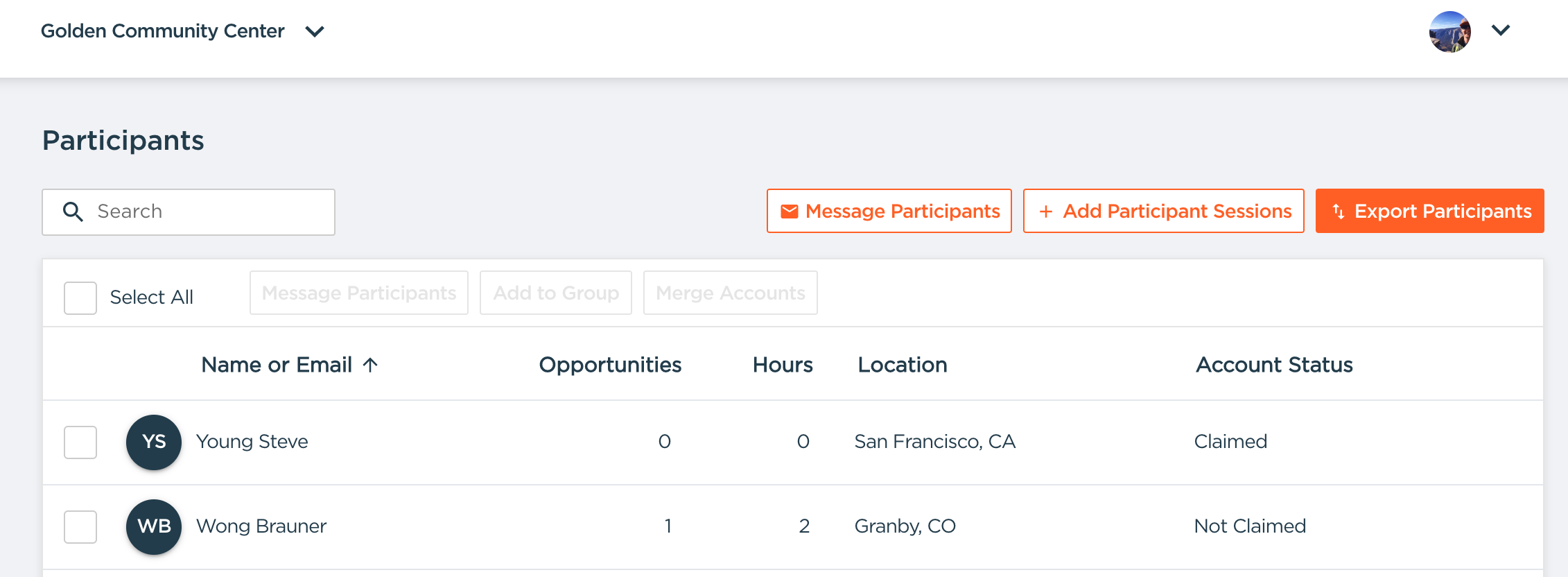
Note: Golden differentiates between CLAIMED and NOT CLAIMED accounts. A Claimed account can ONLY be a destination account for profile merging; it cannot be merged into another account (aka deleted). If you need assistance with Claimed account, contact support@goldenvolunteer.com.
- Claimed means that a participant has actively logged into their profile (aka set up a password).
FAQs
1. Q: What does a claimed account mean? Why can't I merge these profiles?
- Answer: A claimed account means that the participants have logged into their profiles at some point and are managing their profiles themselves. If there are legitimate, claimed duplicate profiles, please email us at support@goldenvolunteer.com so that we can assist you.
2. Q: Can I edit the information of a claimed profile?
- Answer: Yes, you can still make profile modifications to claimed profiles on the Edit Profile menu.
3. Q: Can a profile be claimed if it has 0 hours logged?
- Answer: Yes! Having hours logged doesn't always mean that they are claimed. And having 0 hours doesn't mean that it is always unclaimed. "Claimed" means that they have accessed their profiles and can manage their own data.
4. Q: What if I merged the wrong profiles? Can I fix this?
- Answer: No, there is no way to go back and fix this if you make the wrong edit. Please exercise extreme caution with participant profile merges.
5. Q: Can multiple profiles can be merged into one profile at one time?
- Answer: Yes. You can choose multiple accounts to merge to the destination profiles.