Cancelling a signup can be done on a mobile device or on a computer.
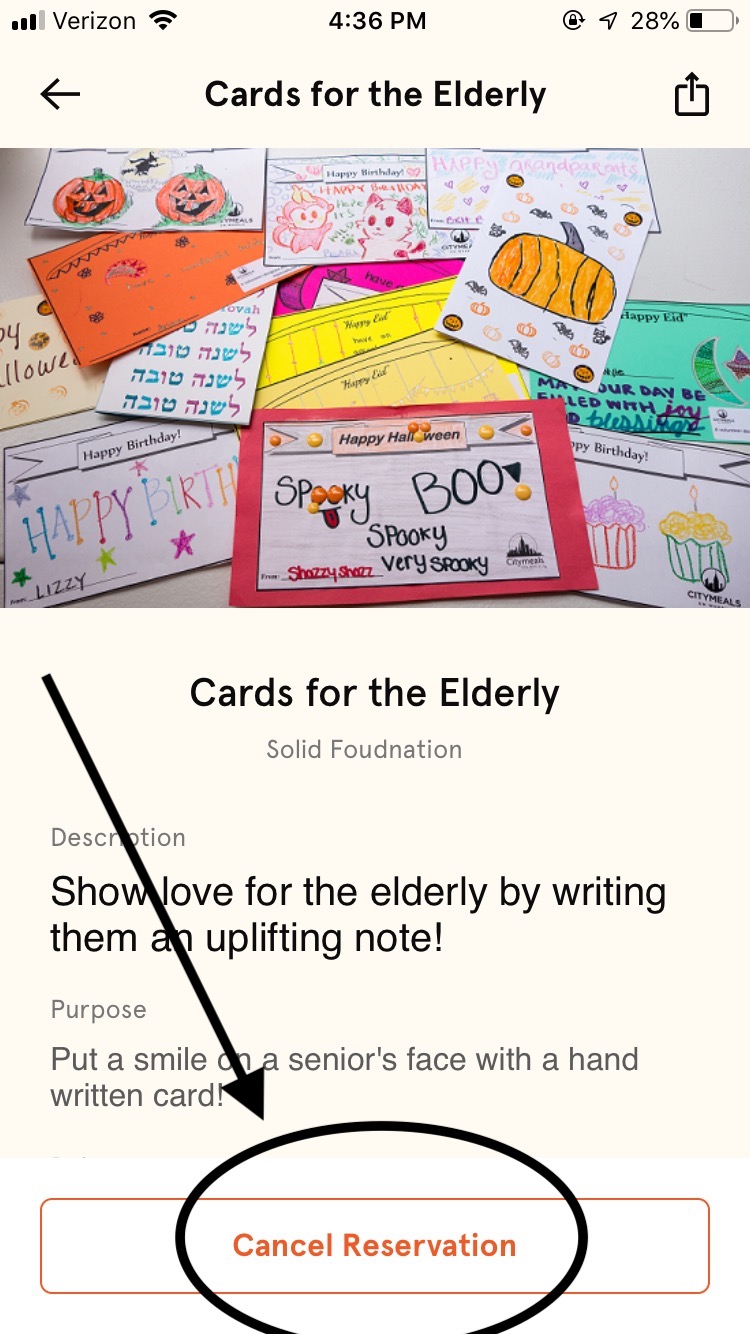
In the app: Your upcoming opportunities are on the Activity tab. Select the opportunity and choose "Cancel Reservation" at the bottom of the page.
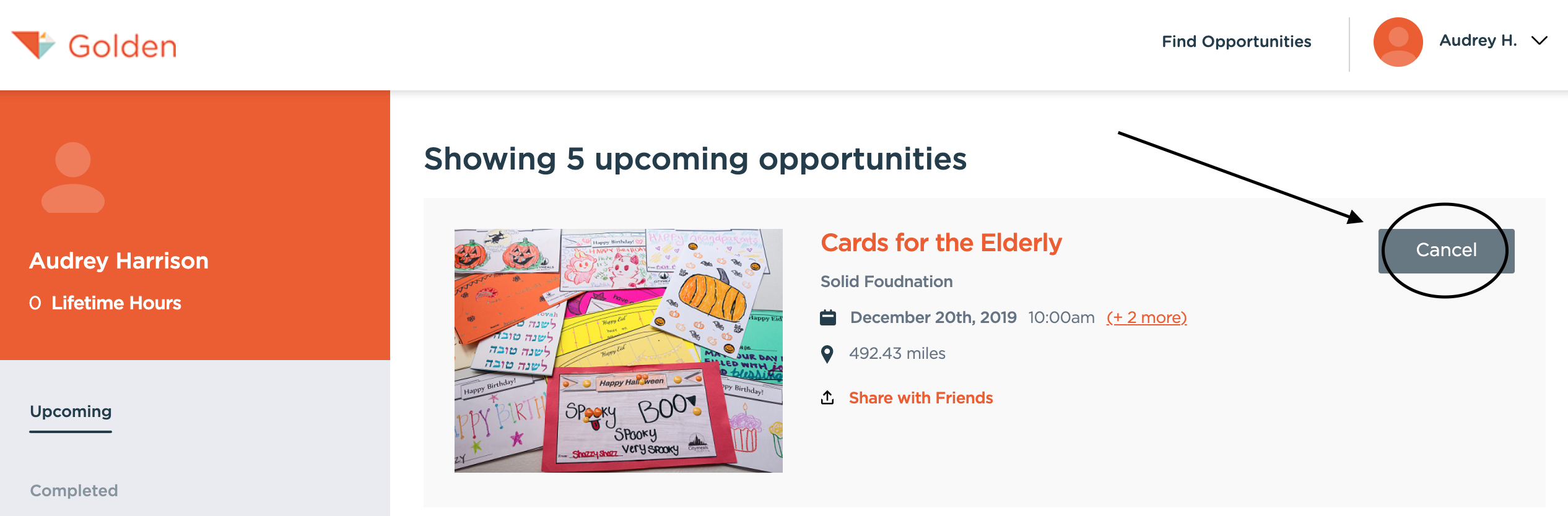
On a computer: Make sure you are logged into your Golden account, and select your name in the top right-hand corner. Select "My Opportunities" and then select "Cancel" for the specific opportunity you would like to unregister for.