
Once you’ve created credentials and packages you can track their status in the Credentials Dashboard under the Status section. Here, you can monitor each individual credential and package, or search for a particular volunteer to view their status.
Reviewing Submitting Credentials
When creating individual credentials, you can choose if these credentials expire at a fixed date, or if they require review by the Organization. In either case, you will need to monitor and approve each submitted credential before a volunteer can progress forward in their onboarding.
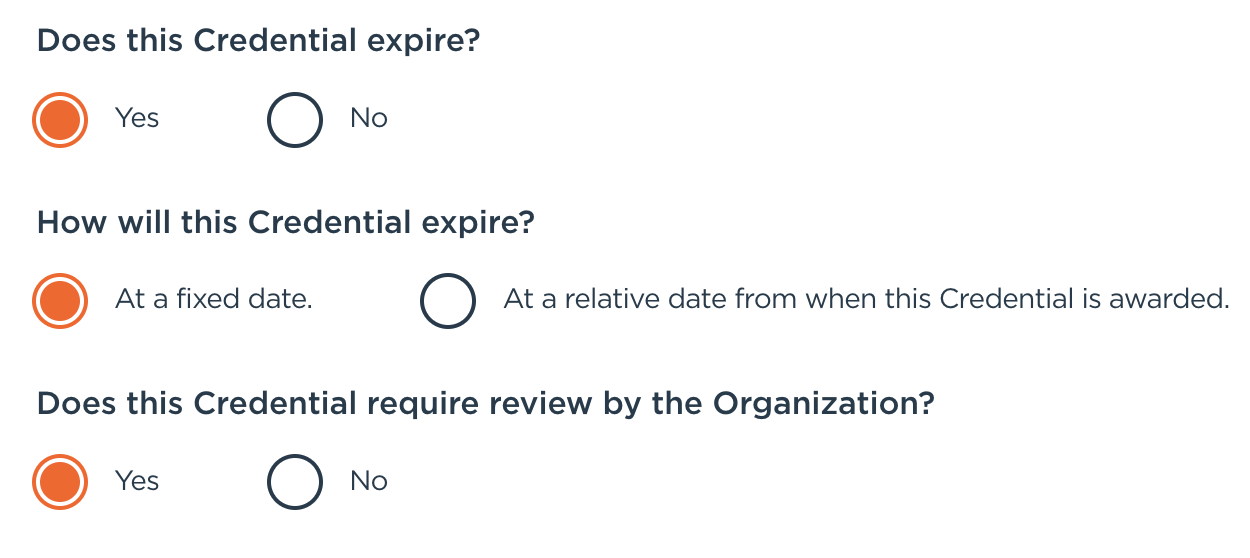
Once a volunteer submits a credential that requires a review, they will be sent an email notifying them the organization is reviewing their credentials.

When a volunteer has submitted their credentials, you can view the package or by searching their name. Volunteers with a Review Required status needs organizer approval before proceeding Simply click on the volunteers name to review their credentials.

Approving, Denying, or Updating Credentials
As an organizer, you have three options:
- Approve: The organizer can either Approve the credential and move the volunteer forward in the process,
- Request an Update: If the organizer has feedback or requires additional information.
- Reject: Deny the volunteer if they don’t meet requirements.
In each scenario, the volunteer will be notified if they’ve been approved, denied, or if they require additional information.
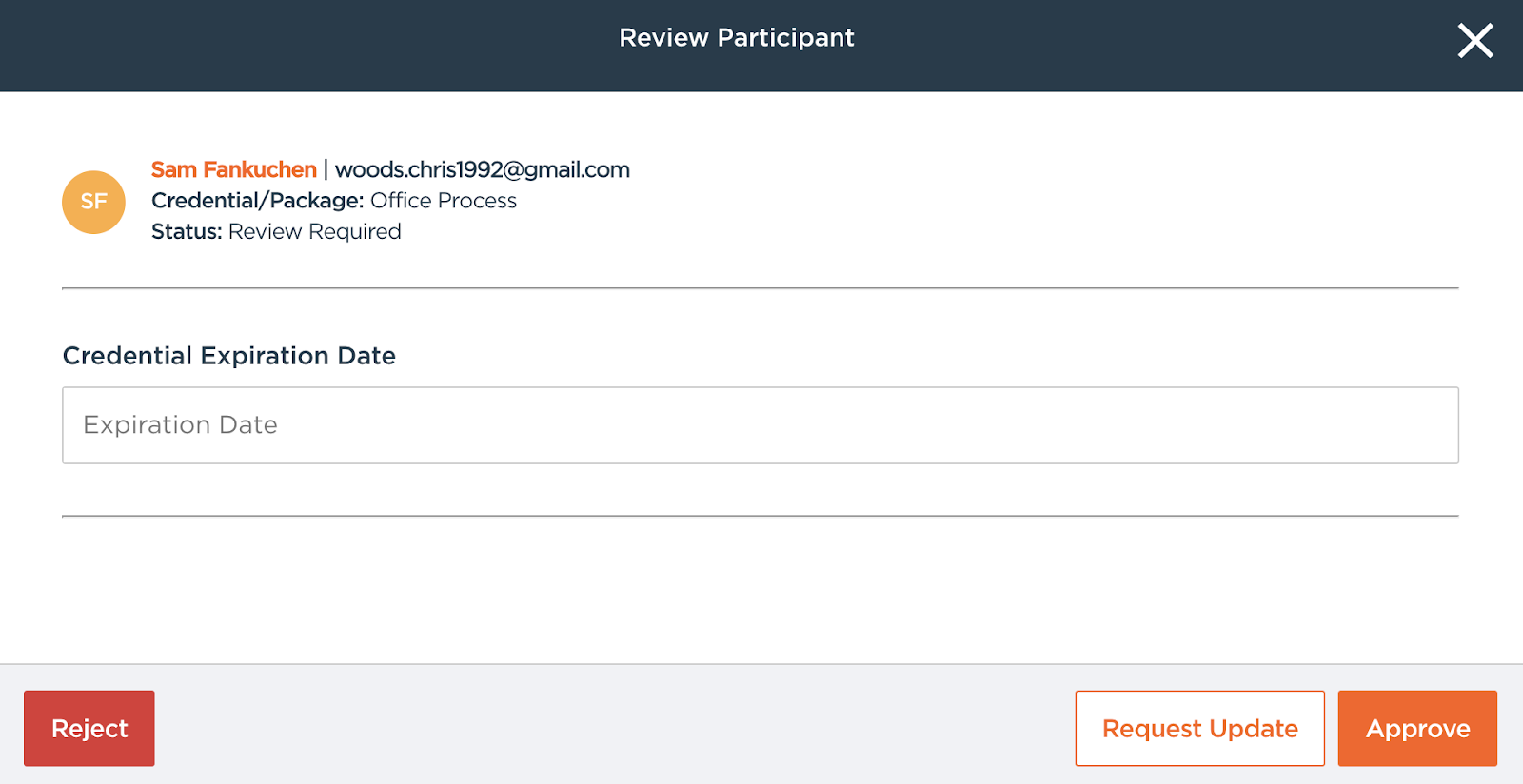
During this stage, you can also assign an Expiration Date for their credential, if you have selected At A Fixed Date when creating your credential. In this step, you can track external processes outside of Golden.