Private opportunities are a great way to ensure that only a specific audience will be able to see or register for your opportunity. When creating a private opportunity, you might be wondering "How can I get participants to sign up if it's private?!" - and there are a few answers to this:
Using Audience Settings
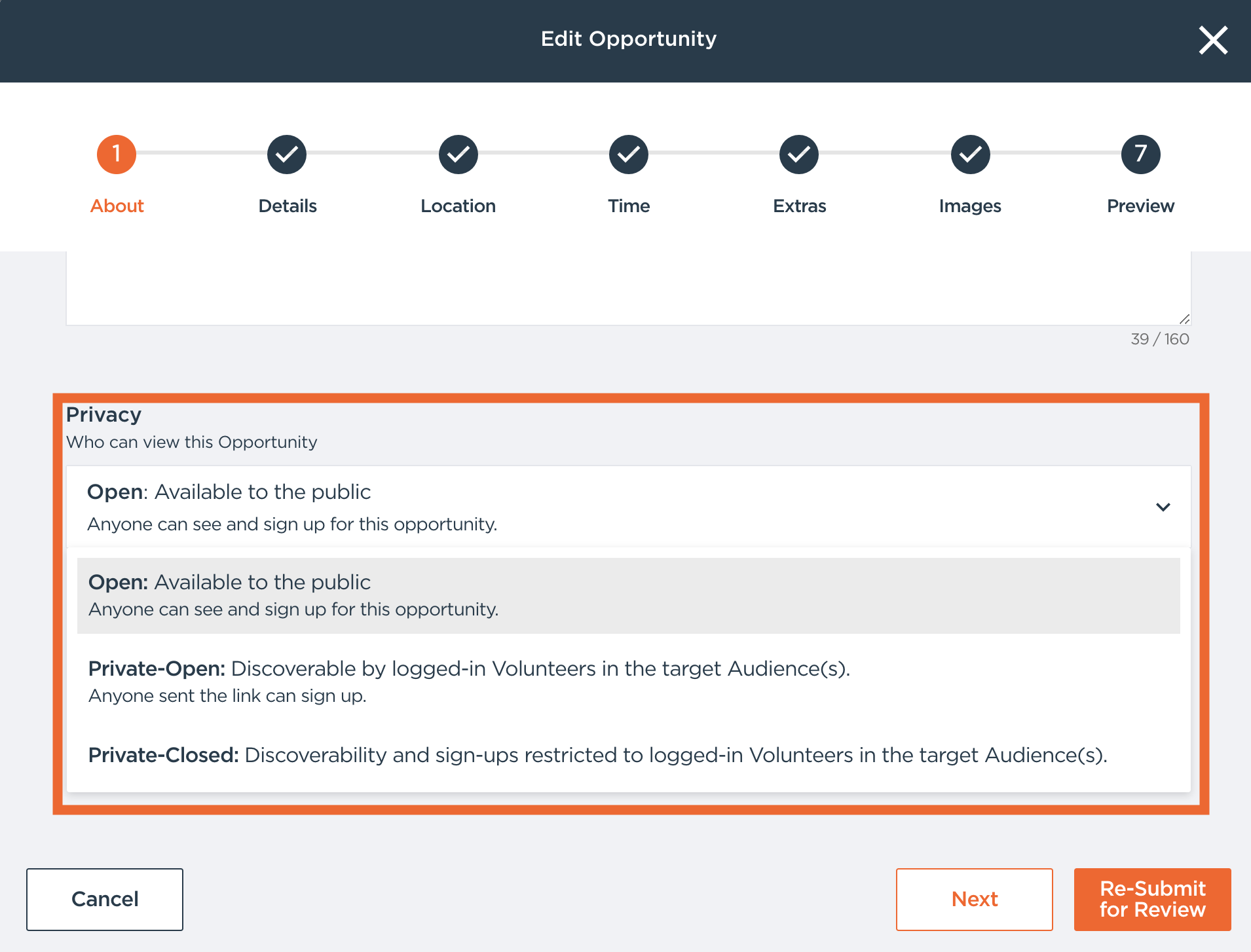
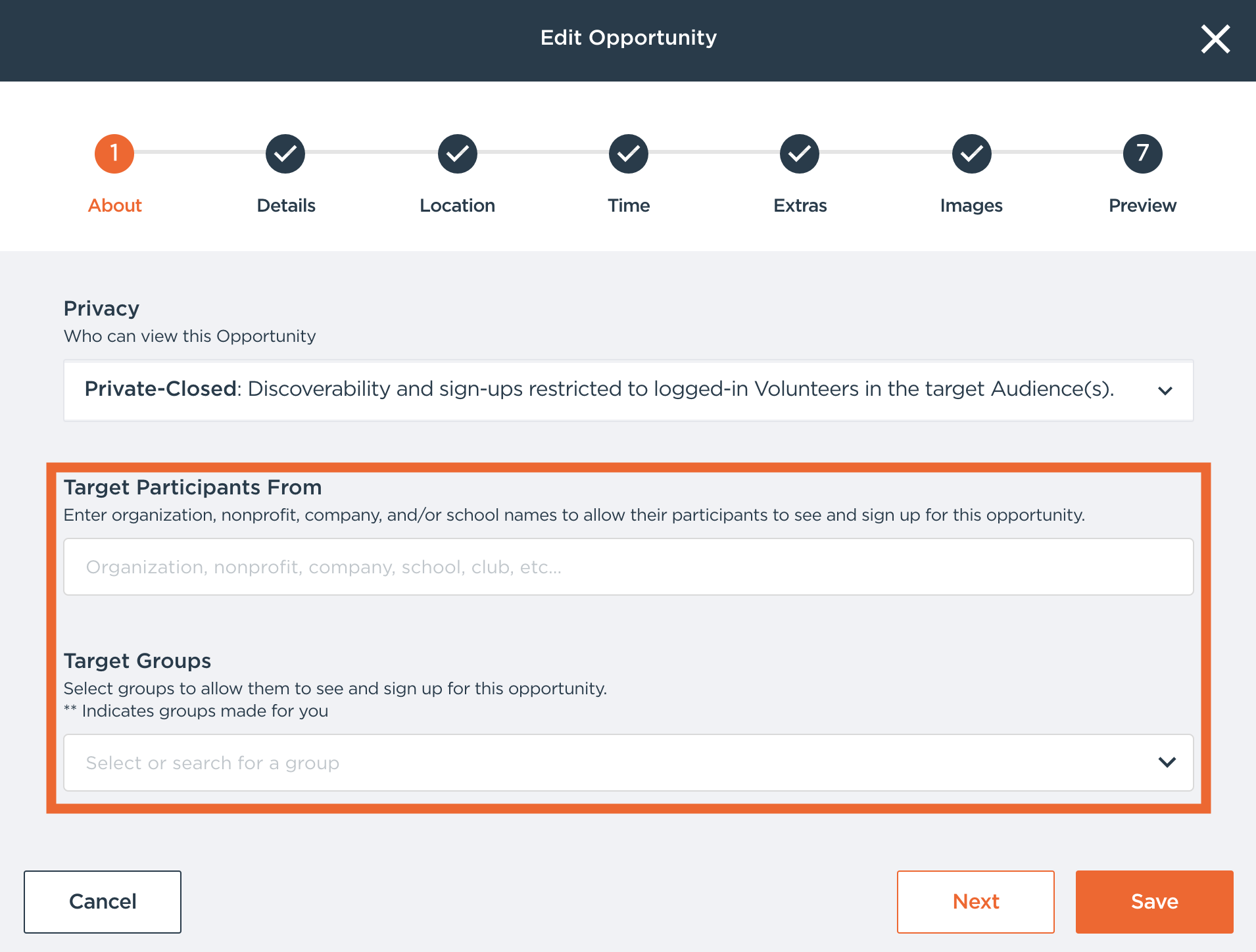
If a participant is part of the targeted audience, this allows the opportunity to show in their participant opportunity feed when they log in to the mobile apps or web portal. For step-by-step help, see "Using the New Privacy Settings." You'll find these options on the Visibility & Accessibility page when you create or edit an opportunity, or by choosing Edit Privacy Settings for an existing opportunity. If a participant is in one of the groups or targeted organizations, they will see your private opportunities in their opportunity feed.
For more information on what the Privacy settings mean, see: Understanding Golden's Enhanced Privacy Controls
Using the Web Tools
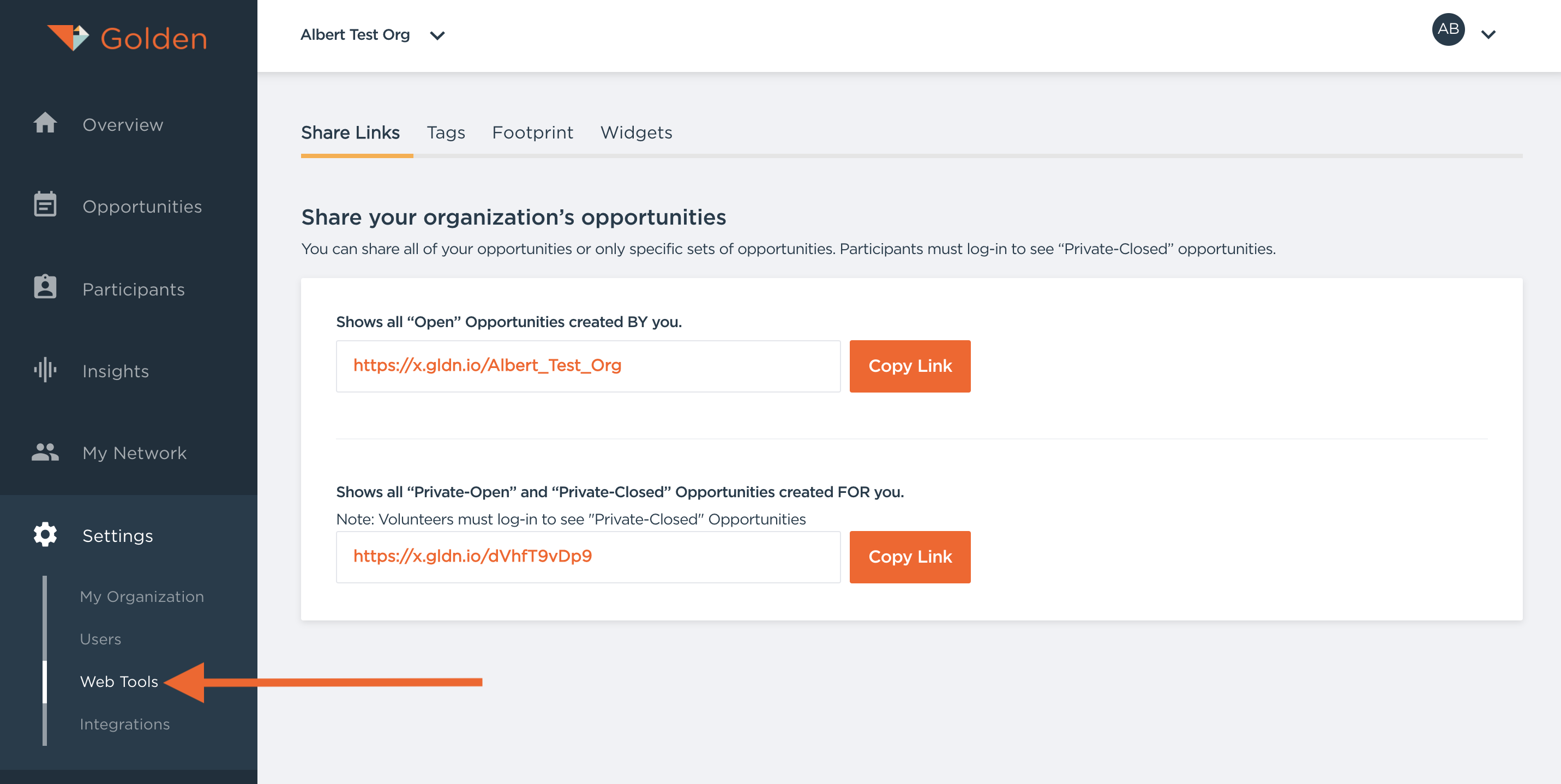
One of our Web Tools are certain Share Links that can be provided to participants and will show opportunities that are created by only YOU and your organization! The link that shows all "Open" opportunities will ensure that the participants using the link only see opportunities created by you, filtering out others.
The second link can be used to show all Private opportunities and participants must be logged in to be able to view the opportunities.
Pro-tip: if you include your own organization in the "Target Participants" section, these opportunities will be visible when participants use the Web Tool to show private opportunities!
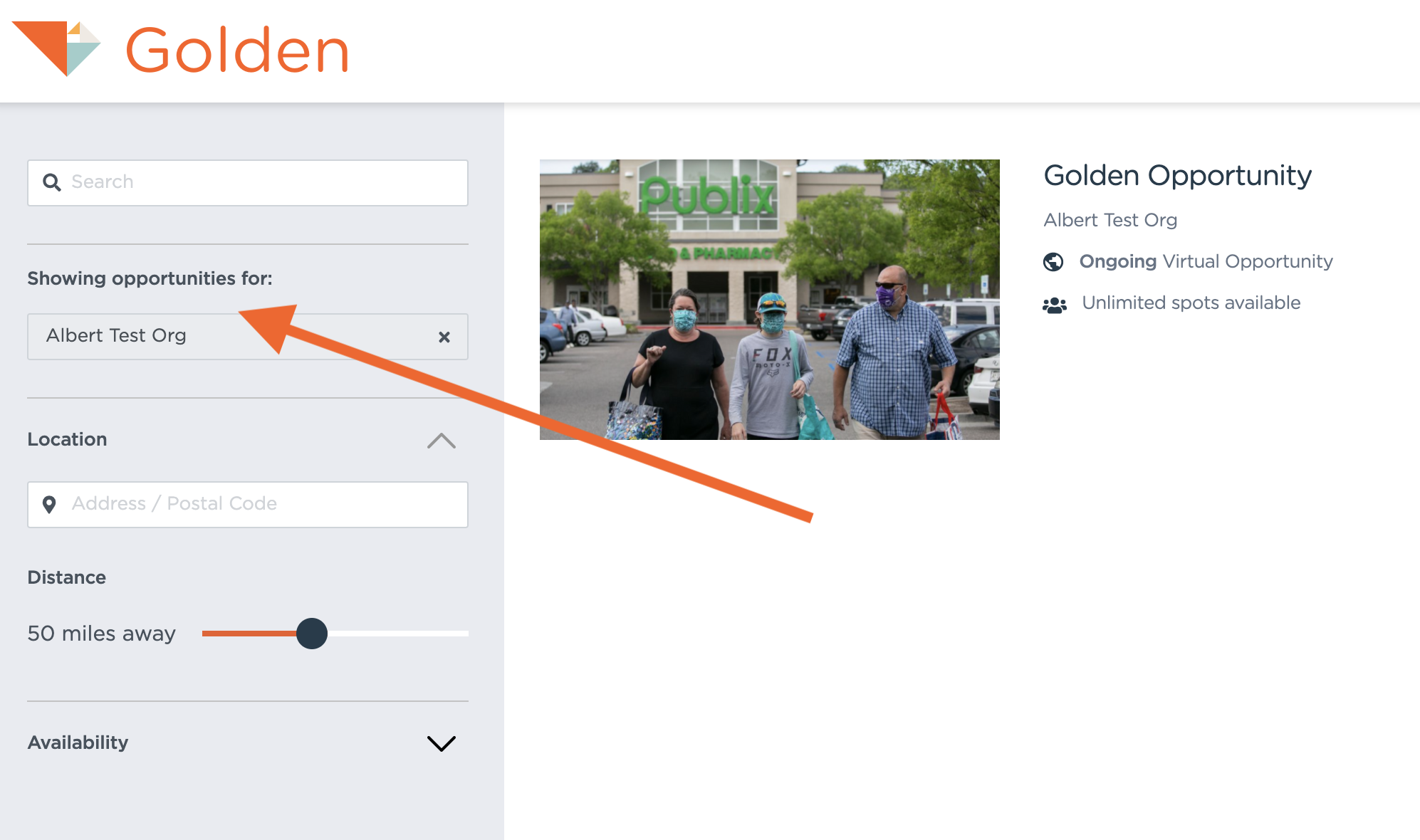
Figure: Participant view after using the Web Tool link. The presence of the "Showing opportunities for:..." is an indicator that the participants are using the Web Tool link
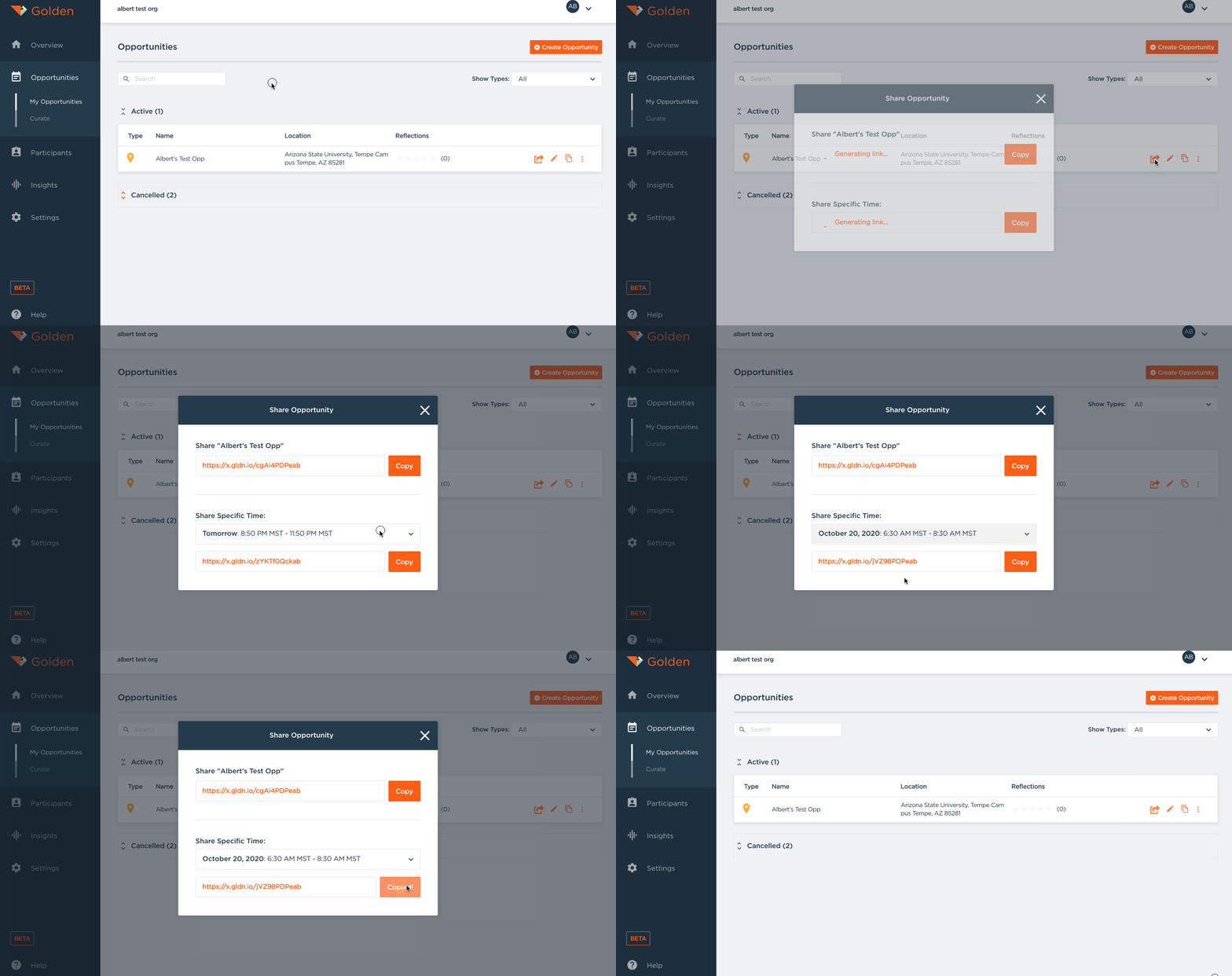
Using Share Links
You can also use share links! Share links will direct a participant directly to an opportunity page that they can register from. If an opportunity is Private-Open, then providing someone with the share link will allow them to register for the opportunity. This makes Private-Open opportunities great for distributing via Newsletters or any preferred means of communication!