
The "Parental Consent" feature helps protect non-profits and ensures the safety of minors.
When Opportunity hosts require "Parental Consent" from participants, Golden will either:
- Send an email to the minor's parent or guardian to consent to the minor's participation.
- Allow a participant to confirm that they are over 18 (and don't need Parental Consent!).
For Participants:
As a participant, you can indicate whether or not you are over the age of 18 by using the toggle in the registration form. If you have mistakenly indicated you are under 18, you can contact the Organizer to get help with overriding this, so that you may participate.
Pro tip: if you are signed into your Golden profile, and have already indicated that you are over the age of 18, then this information will save the next time that consent is required - making registration even faster!
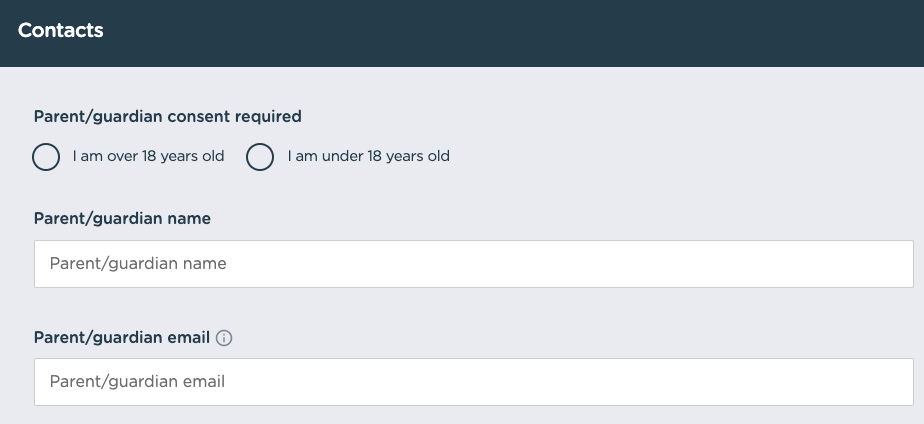
Once a participant has selected a parent's email, they will receive an email that will contain a link where they can approve the consent. See below for an example of what this email looks like.
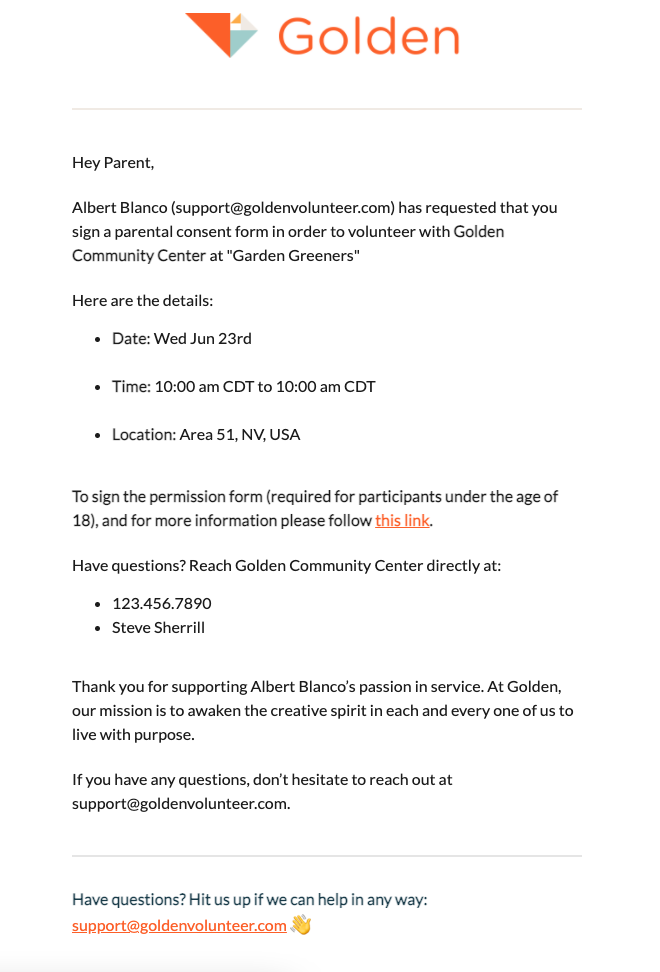
Need to Update Your Parental Consent Info?
No problem. You can view your upcoming Opportunities by signing into your profile and viewing the "Waitlisted" section to see Opportunities for which you are pending consent. Below is a visualization of which button to use to update once you are in the right place.
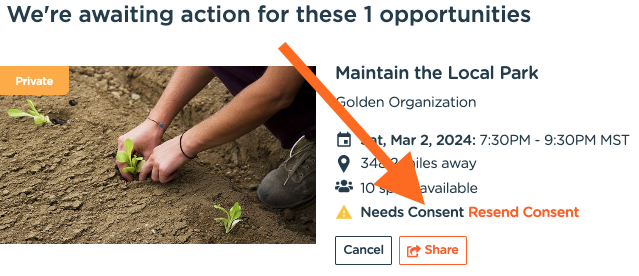
Or you can view the registration and there is a button to update the info as well!

For Organizers:
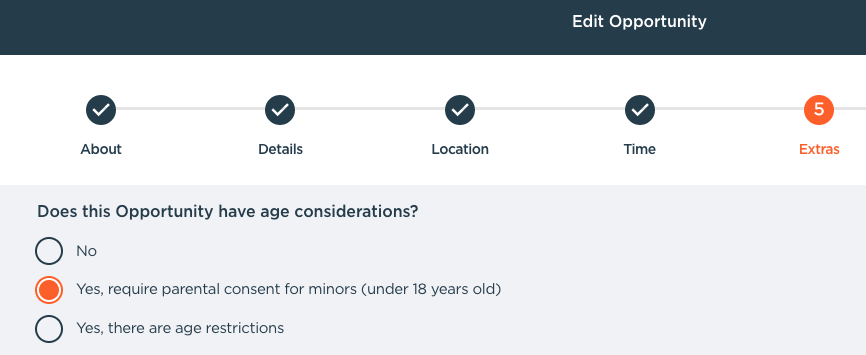
There is an option to include Parental Consent in the 5th step of the Opportunity creation process. If an organizer decides to include Parental Consent, the consent will be required before participants can be registered for the Opportunity. If consent is given after the Opportunity capacity is reached, then the participants will be placed on the waitlist
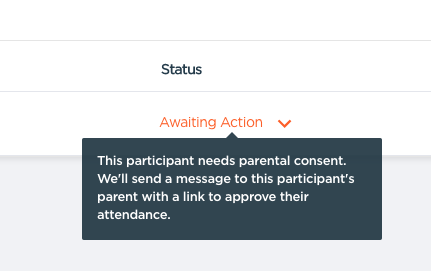
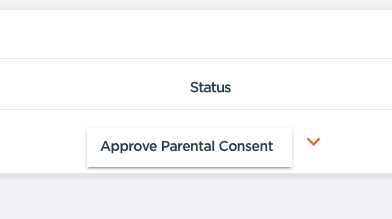
You possess the ability to view the statuses of participants and manage their required parental consent when viewing an Opportunity on the dashboard. Any participants whose registration is pending, due to parental consent not being received yet, will have an orange link in the Status column that will read "Awaiting Action". You can override the need for consent by following the link.
Questions? Contact us at support@goldenvolunteer.com