
Great photos help your Opportunity stand out! Here’s why they matter and how to choose the best ones.
Why photos matter
- They attract participants. Vibrant, eye-catching photos make your Opportunity more appealing, which means more sign-ups!
- They set expectations. Photos give participants a sense of what they’ll be doing, so they arrive prepared and in the right frame of mind.
Tips for the best photos
- Use horizontal photos. A 16:9 aspect ratio works best.
- Choose colorful, but not overwhelming, images.
- Show the activity. Pick photos that give participants a clear idea of their role in your Opportunity.
- Use real photos, not logos or flyers. Logos and marketing materials can get cropped, and they don’t show participants what to expect.
Adding photos to your Opportunity
In the Images section of your Opportunity, click Add Photos. Keep these guidelines in mind:
- JPG and PNG files are supported.
- Each image can be up to 10MB.
- You can upload multiple images.
Examples
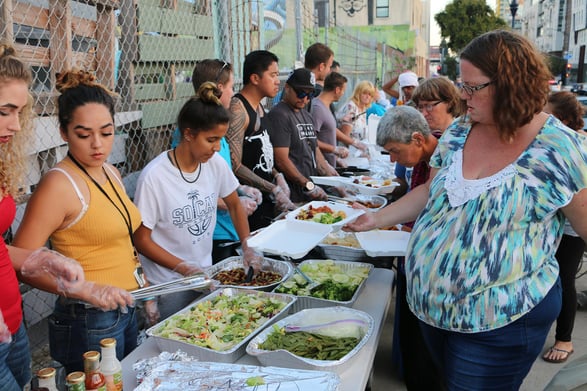
Here’s a great photo for a Food Service Opportunity:
And here’s a photo that doesn’t work well for any Opportunity:
It’s a nice logo, but it doesn’t show what happens at the Opportunity!
To see how photos appear to participants, visit portal.goldenvolunteer.com and browse live Opportunities.
If you have any questions, please feel free to reach out to your Client Strategist or email support@goldenvolunteer.com.