
Wondering who receives sign-up, cancellation, and “Who’s Coming” emails for an Opportunity? Here’s how Golden decides!
If you assign someone to the Opportunity
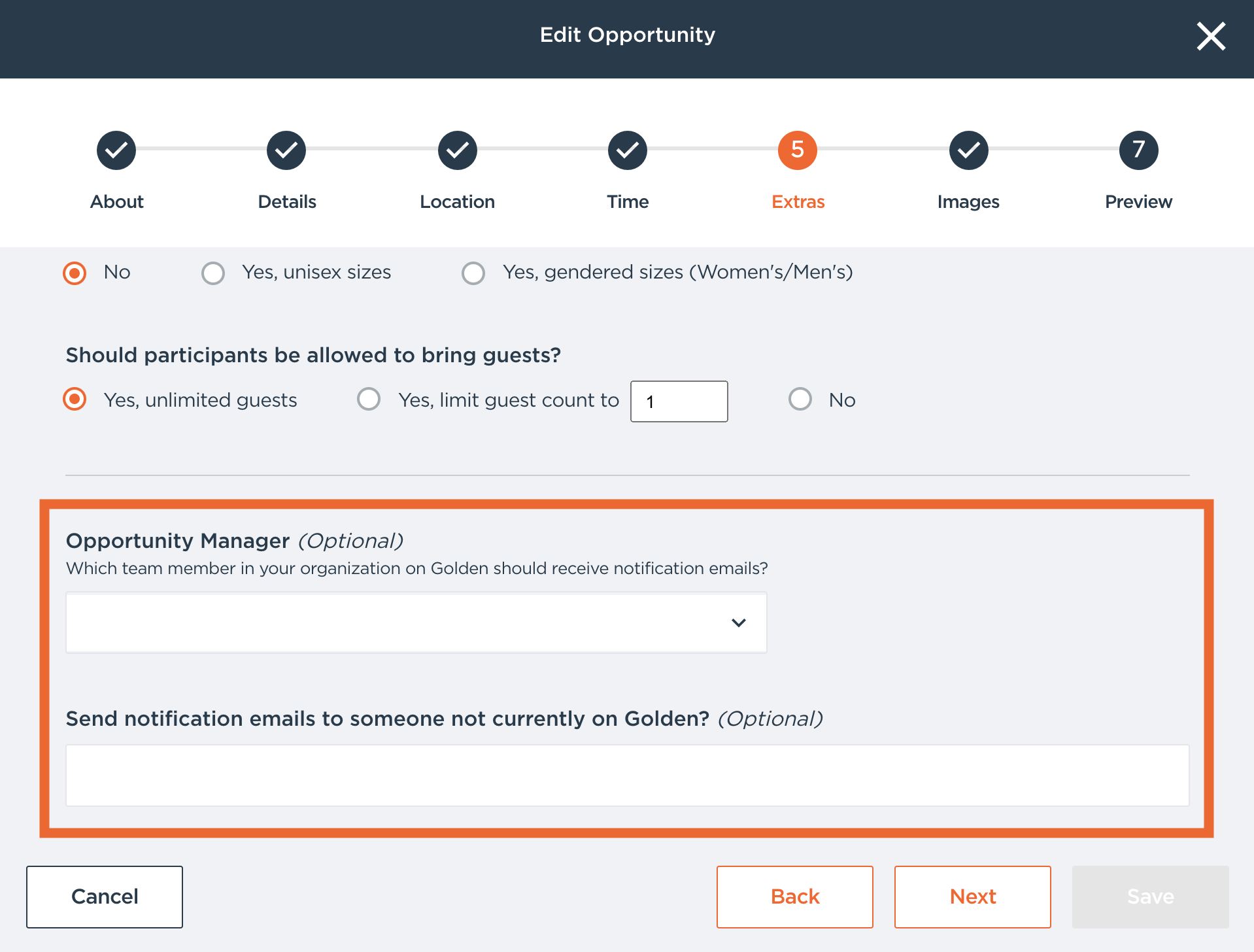
When creating or editing an Opportunity, you can choose who receives its notification emails in the Communications section:
- Opportunity Manager: Select a team member in your organization on Golden to receive notification emails.
- Send notification emails to someone not currently on Golden?: Enter one or more email addresses, separated by commas.
You can use either field, or both. Everyone listed in either field receives the notification emails. Once someone is assigned, the person who created the Opportunity no longer receives them, unless they’re listed in one of these fields too.
If no one is assigned
The person who created the Opportunity receives its notification emails, as long as they’re still a Dashboard user in your organization.
If the creator is no longer in your organization
If no one is assigned and the creator has left your organization, notification emails go to the users on your account with the Contact role. If no one has the Contact role, they go to the account Owner. (See User Permission Overview for more on roles.)
Want admins to receive “Who’s Coming” emails too?
By default, admins with the Contact role only receive these emails when no one else is set to. To send “Who’s Coming” emails to all admins in addition to the Opportunity Manager, turn on Send “Who’s coming...” emails to all Admins (in addition to Opportunity Manager) under Organization Options in your Settings. In the code, this setting also adds admins to sign-up and cancellation emails, not only “Who’s Coming.”
Want to turn certain emails off for yourself? See How Do I Stop Receiving Email Notifications for Participant Sign-Ups?
If you have any questions, please feel free to reach out to your Client Strategist or email support@goldenvolunteer.com.